Single-line diagram — automatic generation | GorkyCAD Pro
The single-line diagram shows three phases as one line. GorkyCAD Pro builds it automatically from your model — no manual drawing.
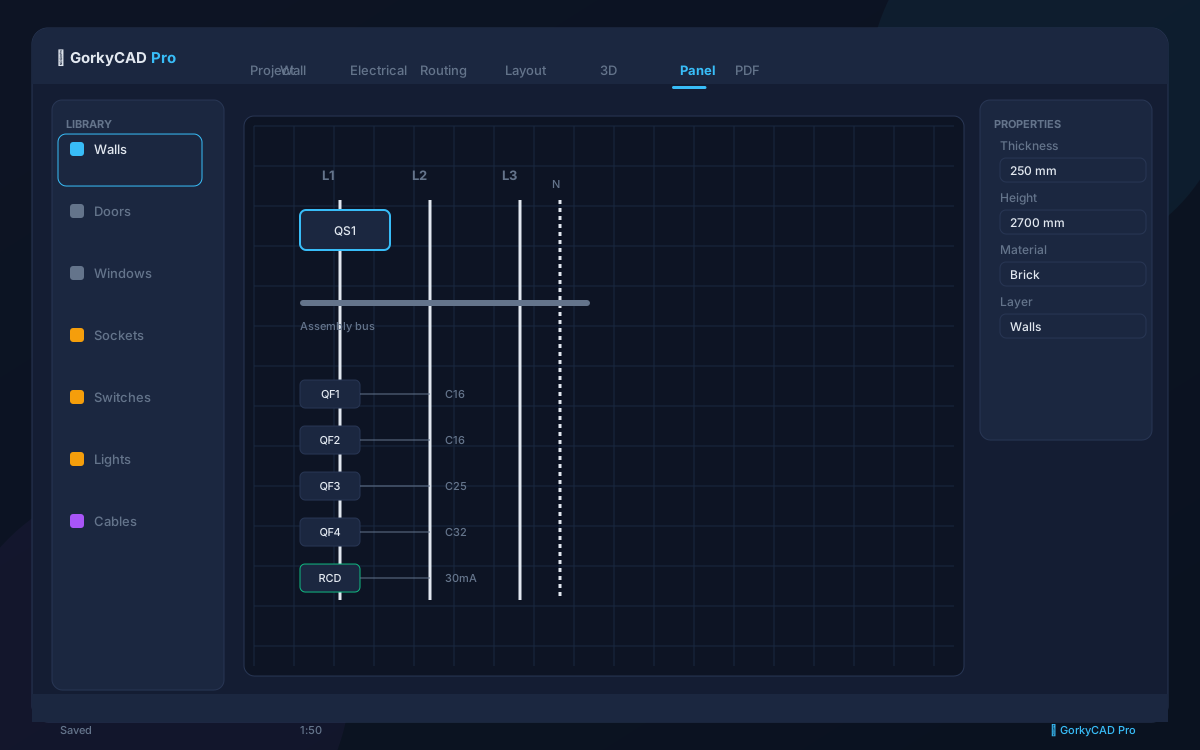
What is a single-line diagram
The SLD shows: input, meter, main breaker, distribution groups, RCDs, RCBOs and outgoing lines. Elements are connected by lines with ratings and cable sizes.
', 'How GorkyCAD Pro builds it automatically
The diagram is generated from the single project model: you assemble the panel, and the SLD is built from the same model. Change a breaker in the panel — the diagram updates automatically.
- Input → meter → main breaker
- Lighting, socket, kitchen, AC groups
- RCDs and RCBOs with ratings
- Outgoing lines with cable sizes
GOST compliance
The diagram follows GOST 2.702 and GOST 21.613: symbols for breakers, RCDs, meters, busbars.
', 'Export and use
The SLD is part of the PDF set: layout plan, single-line diagram, specification, cable schedule.
']FAQ
How long does SLD generation take?
Automatically — seconds. Manually an engineer spends 1-2 hours.
Does it update when the panel changes?
Yes, the diagram is linked to the model.
Can I edit the SLD manually?
Yes, labels, layout and notes.
Frequently asked questions
Yes, all articles and calculators are completely free.
The site offers 21 free calculators: cable sizing, breakers, RCD, voltage drop and more.
In GorkyCAD Pro: plans, panels, calculations and a PDF set for free.
Write to hello@gorkycad.pro — specialists will review and correct it.